
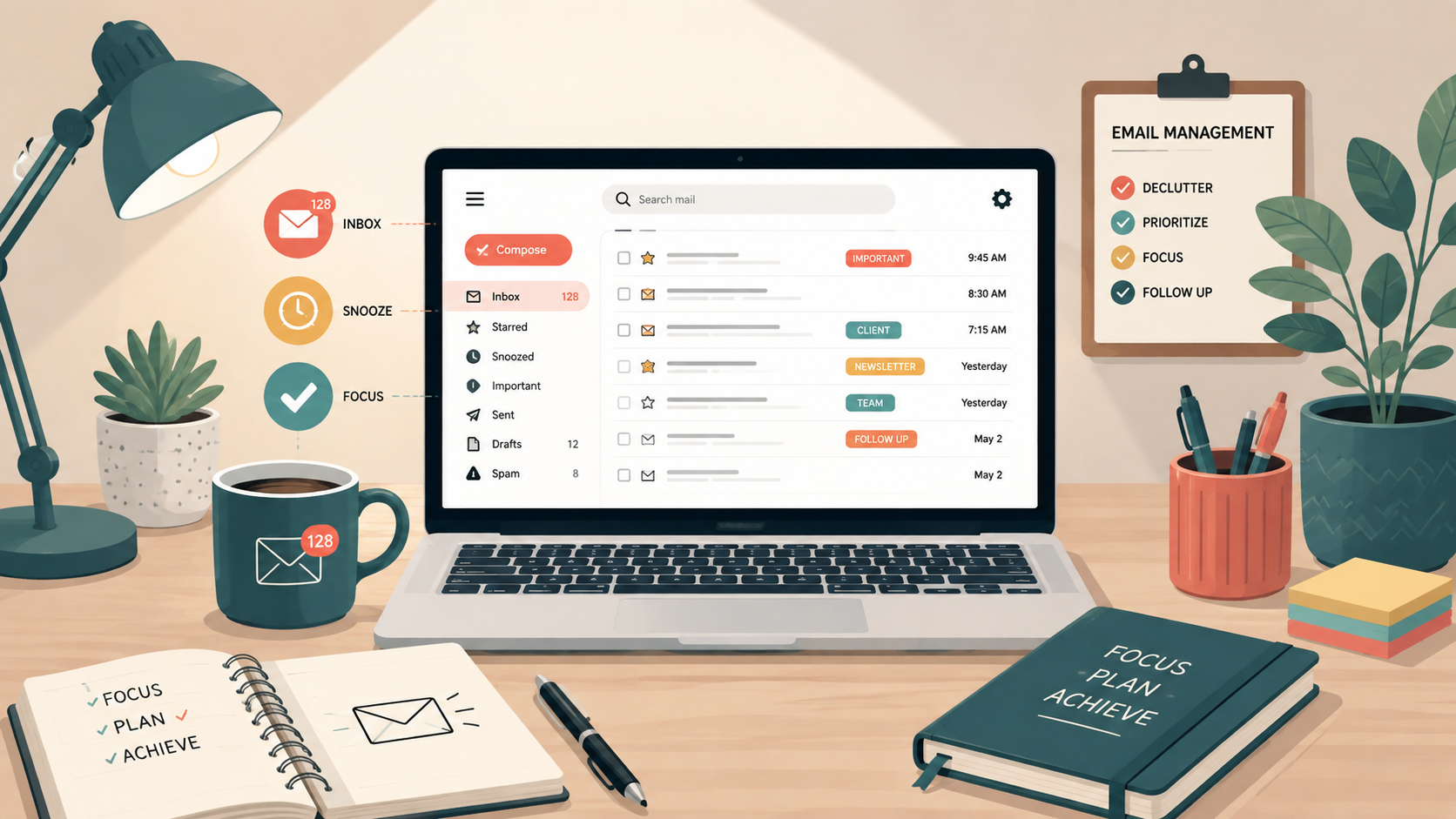
Email is supposed to make communication easier, but when messages keep piling up, your inbox can quickly become a source of distraction. Email overload happens when the volume of incoming messages becomes difficult to manage, making it harder to prioritize important emails, stay focused, and get meaningful work done.
Constant notifications and the pressure to respond can also interrupt periods of focused work. Instead of checking email only when necessary, you may find yourself switching repeatedly between your inbox and other tasks. Over time, these interruptions can contribute to broader communication overload, especially when email is combined with messaging apps, meetings, and workplace notifications.
Fortunately, managing email does not require spending your entire day organizing your inbox. In this guide, you’ll learn how to manage email more effectively, reduce unnecessary messages and distractions, organize your inbox, set better communication boundaries, and develop practical habits that keep email from controlling your workday.
Email overload occurs when the number of emails you receive, read, organize, and respond to becomes difficult to manage effectively. It is not simply about having a large number of messages in your inbox. The real problem begins when email demands too much of your attention, interrupts important work, or makes it difficult to identify which messages actually require action.
For example, you might start the day intending to work on an important project but open your inbox first. One message leads to another, a few notifications arrive, and several replies require follow-up. Before long, a significant portion of your productive time has been spent reacting to email rather than completing your priorities.
Email overload can also be part of a larger problem known as communication overload. When email is combined with workplace chat, notifications, meetings, and other communication channels, the constant flow of information can make it harder to concentrate and decide what deserves your attention.
What Causes Email Overload?
Email overload usually develops gradually. A busy inbox alone is not necessarily a problem; the difficulty begins when unnecessary messages, constant interruptions, and unclear communication habits make email harder to control. Understanding what is causing the problem makes it easier to choose the right solution.
Too Many Incoming Emails
Newsletters, automated notifications, promotional messages, project updates, and routine workplace emails can quickly fill an inbox. When important messages are mixed with low-priority emails, you have to spend more time deciding what deserves your attention.
Constant Email Notifications
Every notification creates an opportunity to stop what you are doing and check your inbox. Even a quick glance can interrupt concentration and make it harder to return your attention to the original task.
Checking Email Too Frequently
Keeping your inbox open throughout the day can turn email into a constant stream of interruptions. Instead of deciding when to process messages, you begin responding whenever a new email arrives.
Unnecessary CCs and Group Emails
Being copied on conversations that do not require your input adds more information to process. Long reply-all chains can make the problem worse, especially when only a small portion of the conversation is relevant to you.
Poor Inbox Organization
Without useful filters, labels, folders, or other organizational methods, important messages can become buried among less important emails. This can lead to repeated searching and uncertainty about which messages still require action.
Too Many Communication Channels
Email may be only one source of communication overload. When you are also monitoring Slack, Microsoft Teams, text messages, project-management tools, and other notifications, deciding where and when to respond can become another task itself.
How Email Overload Affects Productivity
Email overload does more than create a cluttered inbox. When email constantly competes for your attention, it can affect how you focus, prioritize tasks, and use your time. The more often you interrupt important work to check messages, the harder it can become to maintain a productive workflow.
It Interrupts Focus
Checking an email may take only a minute, but the interruption can pull your attention away from a task that requires concentration. Repeated interruptions throughout the day can make focused work more difficult and leave you feeling busy without making meaningful progress.
It Encourages Constant Task Switching
Email often creates small, unexpected tasks: answering a question, opening a document, checking a calendar, or following up with someone. Moving repeatedly between these activities and your primary work can fragment your attention and make the day feel more demanding.
It Makes Prioritization More Difficult
An inbox presents new requests in the order they arrive, not necessarily in the order of importance. Without clear priorities, it is easy to spend time responding to recent messages while more valuable or time-sensitive work remains unfinished.
It Can Consume Valuable Work Time
Frequently reading, sorting, deleting, and responding to messages can take up a significant part of the workday. Without a system for managing email, inbox maintenance can gradually replace time that could be spent on higher-priority tasks.
It Creates Pressure to Be Constantly Available
When checking email becomes a continuous habit, you may begin to feel that every message requires an immediate response. Setting reasonable expectations about when you read and respond to email can help prevent your inbox from determining the pace of your entire day.
It Contributes to Communication Overload
The effect becomes even greater when email is combined with chat messages, meetings, app notifications, and other communication channels. Managing these sources intentionally can reduce unnecessary interruptions and create more uninterrupted time for focused work.
How to Manage Email Overload
Managing email overload does not require checking your inbox more often. In fact, the opposite approach is usually more effective. The goal is to create a simple system that helps you decide when to check email, which messages deserve attention, and what to do with each message once you open it.
The following strategies can help you spend less time reacting to your inbox and more time focusing on important work.
- Check Email at Scheduled Times
Instead of keeping your inbox open throughout the day, choose specific times to check and process email. For example, you might check it once in the morning, again around midday, and once before finishing work.
The right schedule depends on your job and responsibilities. Someone working in customer support may need to check email frequently, while someone doing writing, research, or other focused work may benefit from longer periods without email interruptions.
The important principle is to make checking email intentional rather than automatic.
- Turn Off Unnecessary Email Notifications
A notification can make an email feel urgent even when it is not. Consider disabling desktop pop-ups, sounds, and unnecessary mobile notifications so that new messages do not continuously interrupt your work.
You can still check your inbox at the times you have chosen. The difference is that you decide when email gets your attention instead of allowing every incoming message to make that decision for you.
- Use the Five D’s of Email Management
The Five D’s provide a simple framework for deciding what to do with a message after you read it:
- Delete: Remove messages you do not need.
- Do: Complete quick actions that can be handled immediately.
- Delegate: Forward tasks that should be handled by someone else.
- Defer: Schedule time to handle messages that require more thought or work.
- Document: Save information you may need for future reference.
Using a consistent decision-making system prevents you from repeatedly opening the same messages without deciding what to do with them.
- Create Filters, Rules, and Folders
Not every email needs to land in the same place. Most email services allow you to automatically sort incoming messages based on the sender, subject, keywords, or other criteria.
For example, newsletters can be sent to a reading folder, receipts can be organized separately, and important messages from specific people can be easier to identify.
Keep your system relatively simple. Creating dozens of folders can eventually make email management more complicated rather than easier.
- Unsubscribe From Emails You No Longer Read
Newsletters and promotional emails can quietly accumulate over time. If you regularly delete a newsletter without reading it, consider unsubscribing instead.
Reducing the number of unnecessary emails entering your inbox is often more effective than repeatedly organizing or deleting them later.
- Batch Similar Email Tasks Together
Instead of answering messages individually throughout the day, process several emails during one dedicated session. This is known as batch processing.
For example, you might spend 20 minutes responding to routine messages before lunch rather than interrupting several different tasks to answer those same emails as they arrive.
Batching can make email a defined task within your schedule instead of a continuous background activity.
- Prioritize Emails Before Responding
Not every message deserves the same amount of attention. Before responding, consider whether the email is urgent, important, informational, or something that can wait.
Messages connected to deadlines, important decisions, or tasks blocking someone else’s progress may deserve priority. Informational updates and nonessential conversations can often be handled later.
This prevents the newest message in your inbox from automatically becoming your highest priority.
- Use Templates for Repetitive Responses
If you frequently send similar replies, create reusable email templates. Templates can be useful for meeting confirmations, frequently asked questions, follow-ups, introductions, and routine requests.
A template should provide a starting point rather than an impersonal response. Customize important details before sending it so that the message still fits the recipient and situation.
- Write Shorter, Clearer Emails
Better outgoing emails can also reduce incoming email.
Make the purpose of your message clear, provide the necessary context, and state what you need from the recipient. When appropriate, use a descriptive subject line and clearly identify any action or deadline.
Clear communication can reduce unnecessary clarification emails and long back-and-forth conversations.
- Set Realistic Response Expectations
You do not necessarily need to respond to every non-urgent email immediately. When possible, establish reasonable expectations about your availability and response times.
If colleagues know that email is not an instant messaging system, there may be less pressure to continuously monitor your inbox. Truly urgent communication can be handled through an agreed-upon faster channel.
How to Manage Communication Overload Beyond Email
Email is only one source of workplace communication. Slack, Microsoft Teams, text messages, video calls, project-management tools, and meetings can all compete for your attention. Even after you organize your inbox, switching constantly between these channels can still create communication overload.
The solution is not necessarily to eliminate communication tools. Instead, establish clearer boundaries around what each channel is for, when you check it, and which messages genuinely require an immediate response.
Decide Which Communication Channel to Use
When several communication tools are available, decide what type of information belongs in each one. For example, email may work well for detailed messages and information that needs a written record, while workplace chat may be better for brief questions that require a faster response.
Clear expectations reduce the chance that the same conversation will be scattered across email, chat, text messages, and meetings.
Reduce Unnecessary Notifications
You probably don’t need an alert for every message, reaction, update, or conversation. Review notification settings across your communication apps and keep immediate alerts for the channels or conversations that genuinely require your attention.
For less important communication, consider checking messages at scheduled intervals rather than responding whenever a notification appears.
Set Communication Boundaries
Establish reasonable boundaries around when you are available to respond. Depending on your work environment, this might include using a status such as “focused” or “do not disturb,” blocking time for concentrated work, or letting colleagues know when you normally respond to non-urgent messages.
Boundaries are most effective when other people understand how to reach you when something is genuinely urgent.
Avoid Unnecessary Meetings
Not every discussion requires a meeting. Before scheduling one, consider whether the issue could be resolved with a concise email, shared document, project update, or short message.
When a meeting is necessary, having a clear purpose and agenda can help keep the conversation focused and reduce additional follow-up communication.
Create Focus Time Without Communication Apps
Set aside periods when you close your inbox and silence nonessential communication apps so you can concentrate on demanding tasks. Even a relatively short period of uninterrupted work can make it easier to complete tasks that require sustained attention.
If your role requires you to remain reachable, identify which channel should be used for genuinely urgent issues and silence the rest during your focus period.
Review Your Communication Habits Regularly
Communication overload can return as new tools, projects, newsletters, and group conversations accumulate. Periodically review which channels you use, which notifications are necessary, and which conversations no longer require your attention.
A simple communication system is usually easier to maintain than one that depends on constantly monitoring every platform.
Create a Sustainable Email Management Routine
The best email management system is one you can maintain consistently. Complicated folders, strict inbox rules, and unrealistic response goals may work temporarily, but they can become another source of work. A simpler approach is to create a few habits for processing email each day and reviewing your inbox periodically.
Start the Day With Your Priorities, Not Your Inbox
If your work allows it, avoid making email the first thing that determines your schedule. Identify your most important tasks for the day before getting pulled into new requests and conversations.
If you need to check email early, scan first for genuinely urgent messages rather than immediately responding to everything in your inbox.
Process Email During Dedicated Time Blocks
Choose specific periods for reading and responding to email. During these sessions, make decisions about messages instead of repeatedly reading them and leaving them unresolved.
Reply to messages that need a quick response, schedule more complicated tasks for later, archive information you want to keep, and remove messages you no longer need.
Protect Time for Focused Work
Create blocks of time when email and other nonessential notifications are closed or silenced. Use these periods for work that requires concentration, such as writing, planning, problem-solving, or completing an important project.
Your schedule does not need to be rigid. The purpose is simply to prevent your inbox from interrupting every part of your workday.
Do a Quick End-of-Day Review
Before finishing work, spend a few minutes checking for important messages that still require attention. Identify anything that needs to be handled the following day rather than trying to clear every message before you stop working.
An organized inbox is useful, but an empty inbox does not need to be the goal.
Clean Up Your Inbox Weekly
Set aside a short period once a week to deal with email clutter. Unsubscribe from newsletters you no longer read, update filters when necessary, archive old conversations, and review messages you deferred earlier in the week.
This regular cleanup prevents small amounts of clutter from developing into another overwhelming inbox.
Adjust the Routine to Your Work
There is no single email schedule that works for everyone. Some jobs require frequent responses, while others allow several hours of uninterrupted work.
The goal is to create a routine that keeps important communication moving without allowing email to consume attention that should be spent on higher-priority work.
Common Email Management Mistakes to Avoid
Even a well-organized inbox can become overwhelming if your daily email habits continue creating unnecessary work. Avoiding a few common mistakes can make your email management system easier to maintain.
Checking Email Every Few Minutes
Frequently checking your inbox may feel productive, but it keeps your attention tied to incoming messages. Unless your role requires immediate email responses, use scheduled email sessions and allow yourself periods of uninterrupted work.
Treating Every Email as Urgent
A new message is not automatically an important message. Responding based only on what arrived most recently can push higher-priority work aside. Consider the importance, urgency, and required action before deciding when to respond.
Using Your Inbox as a To-Do List
Leaving messages unread or keeping them in your inbox simply to remind yourself about tasks can make it difficult to distinguish communication from actual work.
When an email requires a larger task, move that action into your task-management system or schedule time for it rather than repeatedly returning to the message as a reminder.
Creating Too Many Folders and Labels
Folders and labels can make email easier to organize, but an overly complicated system creates additional decisions. If you have to think carefully about where every message belongs, organizing email can become another time-consuming task.
Use a small number of meaningful categories and rely on search when appropriate.
Responding When No Response Is Necessary
Not every email requires a reply. Routine announcements, informational updates, and messages where no action is requested can often be read and archived.
Avoid sending unnecessary responses that create additional messages for both you and the recipient.
Keeping Every Newsletter and Notification
If you repeatedly delete messages from the same sender without reading them, keeping the subscription probably provides little value. Unsubscribe from unnecessary newsletters and disable automated notifications that you no longer need.
Preventing unnecessary email from reaching your inbox is easier than continually organizing it afterward.
Trying to Maintain a Perfect Inbox
An elaborate email system can become counterproductive if maintaining it requires too much time. You do not need an empty inbox, perfectly organized folders, or an immediate response to every message.
The goal of email management is not inbox perfection. It is to keep important communication under control while protecting your time and attention for more meaningful work.
Take Control of Email Overload
Email is an essential communication tool, but it should not determine how you spend your entire workday. Email overload becomes a problem when incoming messages, notifications, and the pressure to respond begin competing with your priorities and interrupting focused work.
You do not need a perfectly organized or completely empty inbox to solve the problem. Start with a few practical changes: check email at intentional times, reduce unnecessary notifications, unsubscribe from messages you no longer need, batch similar email tasks, and use a simple system for deciding which messages require action.
It is also important to look beyond your inbox. Email is often only one part of communication overload. Setting clearer boundaries around workplace chat, meetings, notifications, and other communication channels can give you more uninterrupted time for meaningful work.
Ultimately, effective email management is about protecting your attention. Build a system that fits your responsibilities, review it periodically, and adjust it when necessary. When email becomes a tool you manage rather than a stream of interruptions you constantly react to, it becomes much easier to stay focused on the work that matters most.
Frequently Asked Questions About Email Overload
What is email overload?
Email overload happens when the volume of incoming messages becomes difficult to manage and starts competing with your time and attention. It can make it harder to identify important messages, prioritize work, and maintain focus throughout the day.
How can I manage email overload?
Start by checking email at planned times instead of continuously, turning off unnecessary notifications, unsubscribing from unwanted messages, using filters and rules, and processing similar emails in batches. The goal is to create a simple system that keeps email from interrupting your work throughout the day.
How often should I check my email?
There is no ideal frequency for everyone. If your job does not require immediate responses, checking email at a few scheduled times during the day may help reduce interruptions. Jobs involving customer service, urgent requests, or time-sensitive communication may require more frequent monitoring.
What is the difference between email overload and communication overload?
Email overload specifically refers to difficulty managing the volume and demands of email. Communication overload is broader and can include email, workplace chat, text messages, meetings, video calls, notifications, and other communication channels competing for your attention.
Is Inbox Zero necessary for managing email?
No. You do not need an empty inbox to manage email effectively. A better goal is to have a system that helps you identify important messages, handle necessary actions, and prevent email from taking too much time away from your priorities.
What are the Five D’s of email management?
The Five D’s are Delete, Do, Delegate, Defer, and Document. They provide a simple way to decide what to do with an email instead of repeatedly reading the same message without taking action.
You May Also Like
- Best Productivity Apps
- 6 Effective Time Management Strategies
- How to Create Your Own Time Management Strategy
- 10 Tips for Time Management At Work
- 10 Time Management Tips for Students
- The Role of Physical Exercise and Nutrition in Productivity
- Strategies for Staying Motivated and Avoiding Burnout
- Productivity Tools and Apps to Enhance Your Workflow
- How to delegate tasks and outsource work to increase productivity